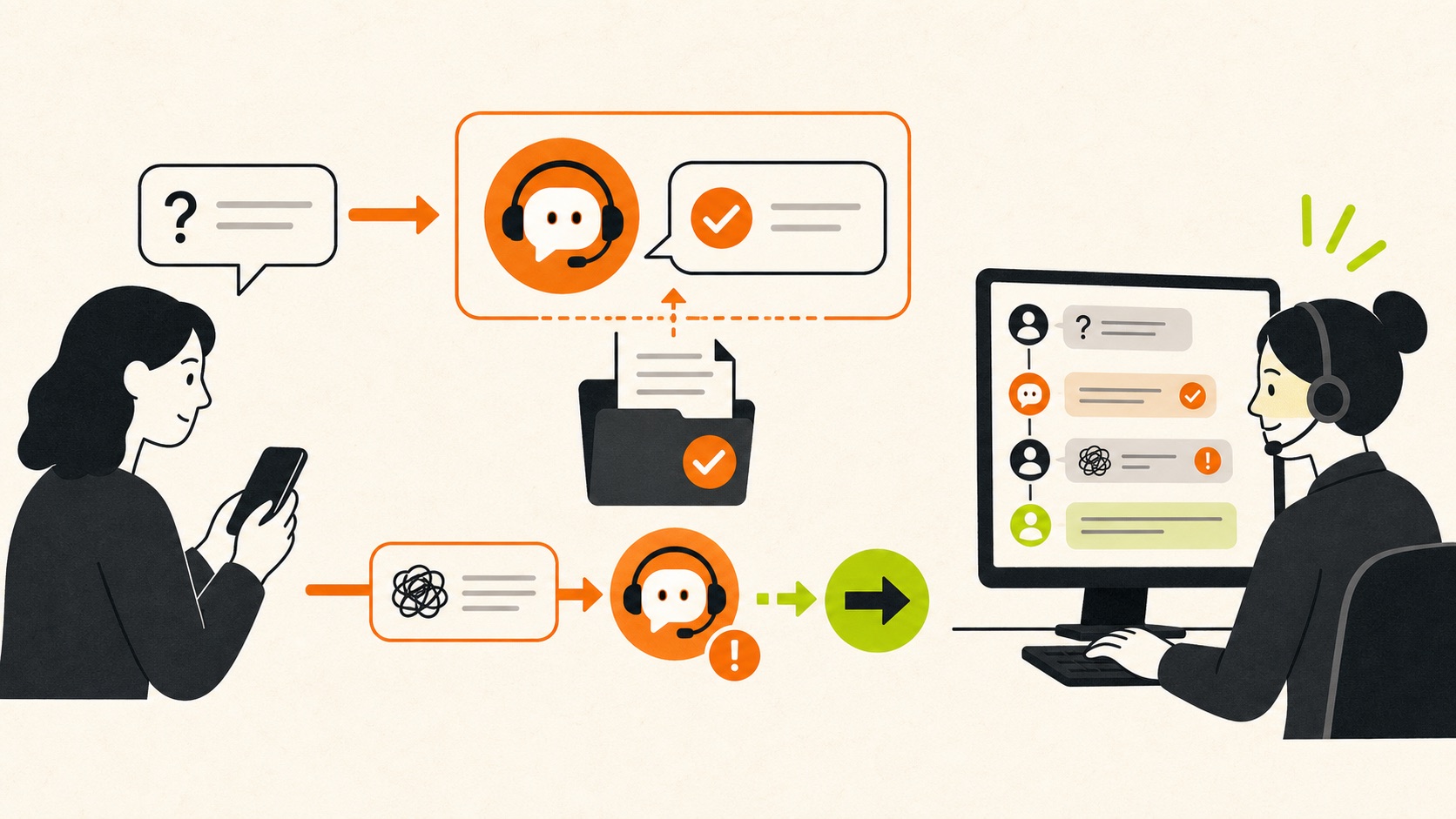
AI that can answer, act, and hand over.
A chatbot handles a conversation. An agent can also retrieve information, update systems, trigger approved actions, and involve a person when the work moves outside its limits.
The difference is what the system is allowed to do.
The useful question is not whether you need a chatbot or an agent. It is what job the system should complete, what information it may use, and where a person must remain in control.
A simple chatbot follows a defined conversation and answers common questions. A retrieval-based assistant can search approved business knowledge before responding. An AI agent goes further: it can choose between tools, update a CRM, prepare a booking, classify a document, or create a follow-up task within a controlled workflow.
More autonomy is not automatically better. If an answer is enough, a chatbot is usually simpler to test and operate. If the outcome requires action across systems, an agent may be justified.
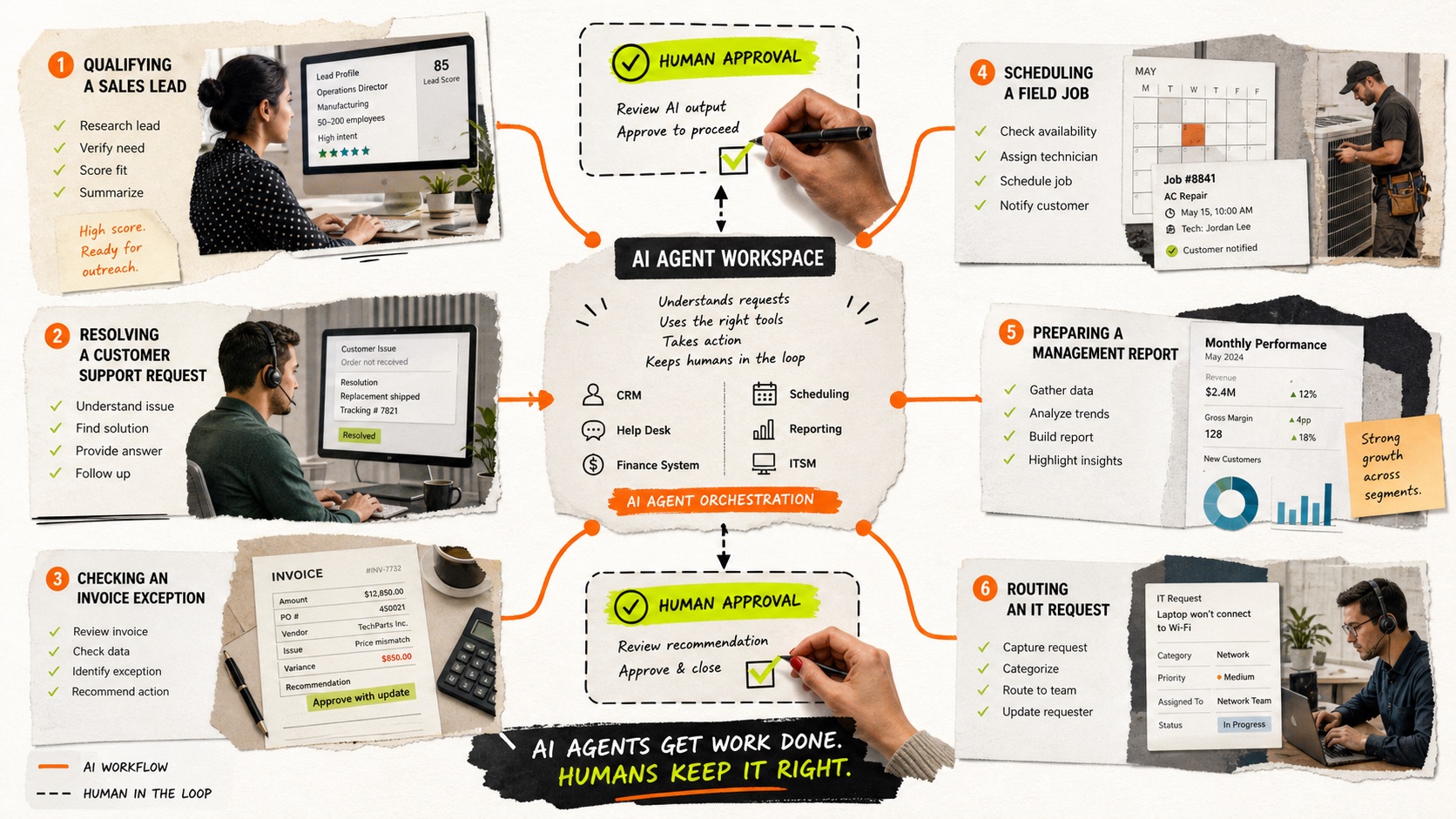
Four places agents can earn their keep.
Customer service
Answer from approved knowledge, identify intent, collect required details, complete routine requests, and transfer sensitive or unresolved conversations with context.
Sales and onboarding
Qualify an enquiry against clear criteria, book the right meeting, prepare CRM notes, request missing information, and prompt the next approved step.
Internal knowledge
Help staff find current procedures, policies, product details, and project information without searching across multiple folders and systems.
Operations and documents
Read incoming documents, extract fields, apply deterministic checks, create a review task, and update a system only after the required approval.
The common thread is a repeated job with recognisable inputs, available source information, clear boundaries, and a meaningful handoff path.
A production agent is a system, not a prompt.
A dependable implementation separates the conversation from the business controls around it. The model may interpret language, but permissions, validation, logging, and escalation should live in the wider system.
| Layer | Purpose | Control |
|---|---|---|
| Channel | Web chat, email, voice, messaging, or an internal interface. | State what the system is and what it can do. |
| Knowledge | Policies, product data, procedures, account context, or documents. | Use approved sources with ownership and update rules. |
| Tools | CRM, calendar, ticketing, database, finance, or workflow systems. | Grant only the permissions needed for the job. |
| Validation | Checks outputs and actions before they affect another system. | Use deterministic rules for amounts, identity, status, and required fields. |
| Handoff | Moves uncertain or sensitive work to a person. | Carry the context forward and make the escalation visible. |
| Monitoring | Tracks quality, failures, cost, latency, and outcomes. | Review real conversations and actions after launch. |
Choose the smallest system that can finish the job.
Use a conventional chatbot when the questions and responses are highly predictable, the answer set is stable, and no action needs to occur in another system.
Use a retrieval assistant when users need natural-language access to a controlled body of knowledge, but the system should not take consequential actions.
Use an AI agent when the work requires interpreting an input, selecting an approved tool, completing a bounded action, and recording what happened.
Keep the workflow human-led when the task depends on professional judgement, negotiation, sensitive personal circumstances, unclear accountability, or consequences that outweigh the available controls.
Start in shadow mode, then expand deliberately.
Map the job
Document the trigger, information sources, expected outcome, edge cases, current handling time, and person who owns the result.
Build the narrow path
Connect only the knowledge and tools required for one outcome. Define exactly what the system may not do.
Test beside the team
Run representative examples without allowing the agent to affect production records. Compare its decisions with the current process.
Release with limits
Start with a small audience, review queue, or approval step. Monitor errors, escalations, abandoned conversations, and business outcomes.
Expand from evidence
Add new actions or channels only after the first workflow is stable, useful, and understood by its owner.
Understand the trade-offs before choosing a tool.
Read AI agents vs chatbots for a plain-English comparison, what AI agents can do for business for practical examples, and whether an AI customer-service chatbot is a good fit.
For adoption controls, see the National AI Centre's Guidance for AI adoption: foundations.
Useful answers,
without the fog.
What is the difference between an AI agent and a chatbot?
A chatbot primarily manages a conversation. An AI agent can also select approved tools and take bounded actions, such as updating a CRM or creating a support ticket. Some systems combine both.
Can an AI chatbot use our business information?
Yes, if approved information is organised, access-controlled, and connected through a retrieval layer or business system. Sensitive data and permissions should be reviewed before deployment.
Will an AI agent replace customer-service staff?
It can handle defined routine work, but a dependable service still needs people for exceptions, sensitive situations, judgement, relationship work, and quality oversight.
How should we test an AI agent?
Test it on representative inputs in shadow mode, measure correct outcomes and unsafe actions, inspect failures, and keep approvals in place until performance is stable.
Bring us the messy workflow.
We will map what is actually happening, identify the leverage, and tell you whether AI, automation, software, or a simpler process change is the right answer.
Book a workflow audit