
More client work.
Less coordination work.
Professional services firms sell judgement and expertise, yet much of the week disappears into intake, document chasing, meeting administration, status updates, and handoffs.
Protect the judgement. Reduce the work around it.
The goal is not to automate the advice. It is to give experts better inputs, cleaner context, and fewer administrative gaps before and after the moment where judgement matters.
Consultancies, advisory firms, agencies, accountants, lawyers, brokers, and specialist practices use different language, but their operating patterns are often similar. A prospect is qualified, information is collected, a scope is agreed, work is delivered, outputs are reviewed, and the engagement is billed.
AI can help classify unstructured inputs, prepare first drafts from approved information, summarise discussions, find relevant internal knowledge, and move routine work through a defined workflow. The accountable professional remains responsible for advice, accuracy, and client outcomes.
The client journey is the system to map.
Mapping should show where information enters, who owns each decision, which documents are required, how work is reviewed, and what triggers the next stage. It usually exposes duplicate entry, unclear ownership, missing templates, and status information living in individual inboxes.
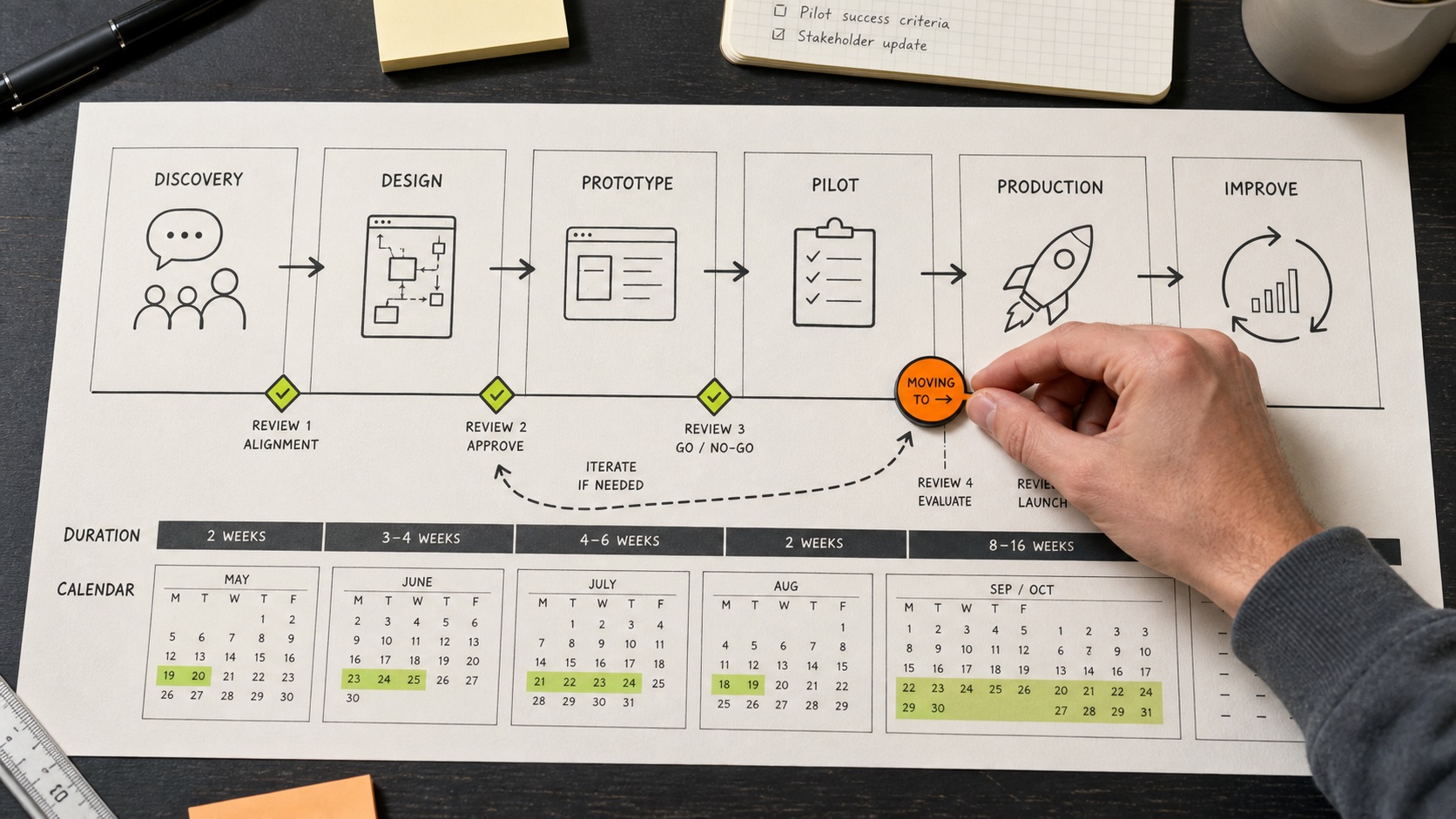
Useful automation follows the engagement.
Client intake
Convert emails, forms, and attachments into a structured matter or project brief, then request missing information before the work is assigned.
Proposal preparation
Assemble a first draft from approved service descriptions, pricing rules, scope notes, and prior templates for a person to review.
Meeting administration
Create notes, decisions, risks, and follow-up tasks from a meeting, then send each item to the right owner.
Knowledge retrieval
Help staff find current methods, policies, precedents, or project context without treating an AI answer as authoritative on its own.
Client status
Generate a factual status update from project records and approvals instead of reconstructing the story from messages.
Billing readiness
Check that required time, milestones, approvals, or supporting records are present before an invoice is prepared.
Confidentiality and accountability shape the design.
Professional services workflows may contain commercially sensitive information, personal information, privileged material, or regulated advice. The implementation must identify what data may enter each model or service, who can retrieve it, how long it is retained, and whether it may be used for provider training.
High-impact outputs should retain named review and approval. Source links or retrieved passages should remain visible when staff rely on AI-assisted research. Logs should record what information was used and which person approved the final action.
For privacy considerations, read Is AI safe for business data? and the OAIC's guidance on commercially available AI products.
Start where delay is visible and judgement is not the bottleneck.
A strong first workflow is repeated often, has one clear owner, uses information the firm already controls, and creates an output a person can verify quickly. Intake completeness, meeting follow-up, document requests, and status reporting are usually easier to govern than automating substantive professional advice.
Before building, capture the current volume, handling time, rework, response delay, and failure modes. Those measures are what make the pilot useful or reveal that the underlying process needs repair first.
Useful answers,
without the fog.
Can AI automate professional advice?
AI can support research, drafting, and information retrieval, but accountable professional judgement, verification, and approval should remain with qualified people where the work has legal, financial, or client consequences.
What is a sensible first automation for a professional services firm?
Client intake, document collection, meeting follow-up, and factual status reporting are common starting points because the workflow and review point can be clearly defined.
Can AI connect to a practice management or CRM system?
Often yes, through an API, database, export, email workflow, or controlled browser process. The right approach depends on the system, permissions, and reliability requirements.
How do we protect confidential client information?
Map the data flow, minimise what is sent, review provider settings and contracts, enforce access controls, keep sensitive use cases out of unsuitable tools, and retain human oversight.
Bring us the messy workflow.
We will map what is actually happening, identify the leverage, and tell you whether AI, automation, software, or a simpler process change is the right answer.
Book a workflow audit